quotation
blockquote 定义引用自其他源的章节
1 2 3 <blockquote cite ="http://www.worldwildlife.org/who/index.html" > For 60 years, WWF has worked to help people and nature thrive. As the world's leading conservation organization, WWF works in nearly 100 countries. At every level, we collaborate with people around the world to develop and deliver innovative solutions that protect communities, wildlife, and the places in which they live. </blockquote >
q 定义短的引用
abbr 定义缩写
1 <abbr title ="World Health Organization" > WHO</abbr >
address 联系地址等信息cite 引用的作品, 斜体bdo 指定文字显示方向
1 <bdo dir ="rtl" > This text will be written from right to left</bdo >
link
链接到email
1 <a href ="mailto:someone@example.com" > Send email</a >
将img标签放入a标签使图片变成链接
链接状态
根据不同链接访问状态可以使用css指定不同样式
1 2 3 4 5 6 7 8 9 10 11 12 13 14 15 16 17 18 19 20 21 22 23 24 25 <style > a :link { color : green; background-color : transparent; text-decoration : none; } a :visited { color : pink; background-color : transparent; text-decoration : none; } a :hover { color : red; background-color : transparent; text-decoration : underline; } a :active { color : yellow; background-color : transparent; text-decoration : underline; } </style >
页内锚点链接
href属性中加#到对应的标签id
1 2 3 <a href ="#C4" > Jump to Chapter 4</a > <h2 id ="C4" > Chapter 4</h2 >
image
image map
1 2 3 4 5 6 7 <img src ="workplace.jpg" alt ="Workplace" usemap ="#workmap" > <map name ="workmap" > <area shape ="rect" coords ="34,44,270,350" alt ="Computer" href ="computer.htm" > <area shape ="rect" coords ="290,172,333,250" alt ="Phone" href ="phone.htm" > <area shape ="circle" coords ="337,300,44" alt ="Coffee" href ="coffee.htm" > </map >
picture
根据不同媒体展示不同图像
1 2 3 4 5 <picture > <source media ="(min-width: 650px)" srcset ="img_food.jpg" > <source media ="(min-width: 465px)" srcset ="img_car.jpg" > <img src ="img_girl.jpg" > </picture >
favicon
1 2 3 4 <head > <title > My Page Title</title > <link rel ="icon" type ="image/x-icon" href ="/images/favicon.ico" > </head >
tables
table – 定义表格
1 2 3 4 5 6 7 8 9 10 11 12 13 14 15 16 17 18 19 <table > <caption > 表格标题</caption > <tr > <th > Company</th > <th > Contact</th > <th > Country</th > </tr > <tr > <td > Alfreds Futterkiste</td > <td > Maria Anders</td > <td > Germany</td > </tr > <tr > <td > Centro comercial Moctezuma</td > <td > Francisco Chang</td > <td > Mexico</td > </tr > </table >
thead tbody tfoot
语义标签, 放tr外面.
colgroup
放table里面选定几列
visibility: collapse 隐藏指定列
1 2 3 4 5 6 7 8 9 10 11 12 13 14 15 16 17 18 19 20 21 22 <table > <colgroup > <col span ="2" style ="background-color:red" > <col style ="background-color:yellow" > <col span ="3" style ="visibility: collapse" > </colgroup > <tr > <th > ISBN</th > <th > Title</th > <th > Price</th > </tr > <tr > <td > 3476896</td > <td > My first HTML</td > <td > $53</td > </tr > <tr > <td > 5869207</td > <td > My first CSS</td > <td > $49</td > </tr > </table >
table border
使用css 指定表格边框样式
1
2
3
4
table , th , td { border : 1px solid black; border-collapse : collapse; }
border-spacing padding
spacing指定每个格子边框之间的距离
1
2
3
4
5
6
7
8
9
<style> table , th , td { border : 1px solid black; border-spacing : 30px ; } th , td { padding : 30px ; } </style>
colspan rowspan
给每个单元格指定占比, 默认一个格子是1
1 2 3 4 5 6 7 8 9 10 11 12 13 14 15 16 <table > <tr > <th colspan ="2" > Name</th > <th > Age</th > </tr > <tr > <td > Jill</td > <td > Smith</td > <td > 43</td > </tr > <tr > <td > Eve</td > <td > Jackson</td > <td > 57</td > </tr > </table >
table sstyling
偶数行更改颜色
1
2
3
tr:nth-child(even) { background-color: #D6EEEE; }
Lists
ul 无序 unordered
1 2 3 4 5 <ul > <li > Coffee</li > <li > Tea</li > <li > Milk</li > </ul >
Description Lists
dl - 描述列表
1 2 3 4 5 6 7 <dl > <dt > Coffee</dt > <dd > - black hot drink</dd > <dt > Milk</dt > <dd > - white cold drink</dd > <dd > - good </dl >
Block && inline Elements
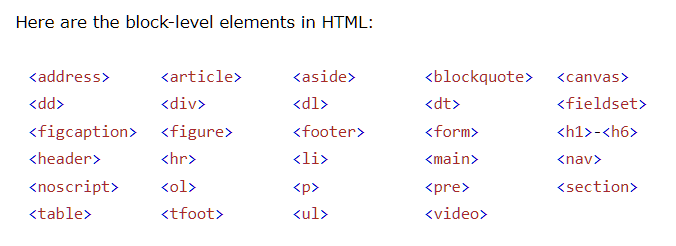
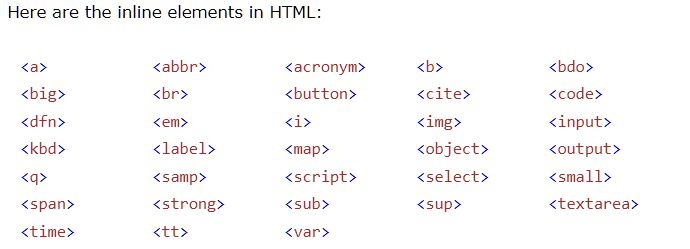
块级元素和行内元素
iframes
定义一个行内框架
1 <iframe src ="https://www.slacr.site" width ="200px" height ="300px" > </iframe >
head
base 标签指定所有引入资源的基地址和target属性, 两者必须有其一meta 指定文档的一些信息
html layout
float layout 通过浮动和清除浮动来控制文档布局, 缺点是不够灵活, 只能根据文档流依次布局.
flexbox layout 弹性盒布局, flex布局,
grid layout 格子布局
html responsive
根据不同的设备显示不同的元素样式已达到好的显示效果
在不同的设备上显示不同的图片
1 2 3 4 5 6 <picture > <source srcset ="img_smallflower.jpg" media ="(max-width: 600px)" > <source srcset ="img_flowers.jpg" media ="(max-width: 1500px)" > <source srcset ="flowers.jpg" > <img src ="img_smallflower.jpg" alt ="Flowers" > </picture >
使用相对单位如vw, vh, rem
1 2 3 4 5 6 7 8 9 10 11 12 13 14 15 16 17 18 <style > .left , .right { float : left; width : 20% ; } .main { float : left; width : 60% ; } @media screen and (max-width : 800px ) { .left , .main , .right { width : 100% ; } } </style >
使用框架frameworks
w3.css/ bootstrap…
computer code element
一些用来定义用户输入和计算机符号的标签元素kbd – 键盘符号samp – 样本输出code – 计算机代码pre – 保留空格和换行不处理, 预格式化过的文本var – 变量, 斜体
semantic elements
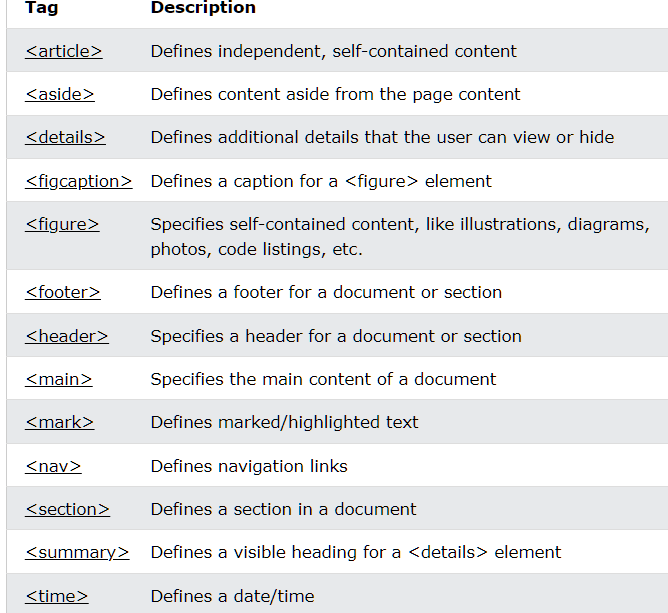
语义标签
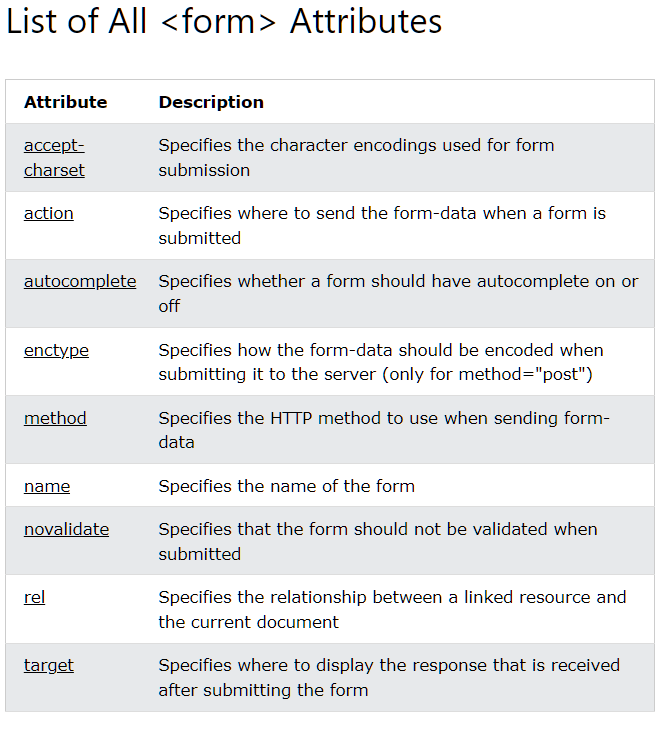
action – 指定提交到的后端文件位置
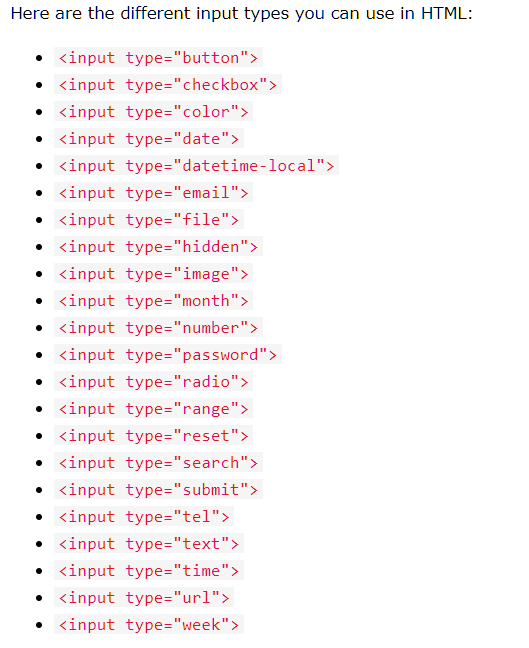
input type
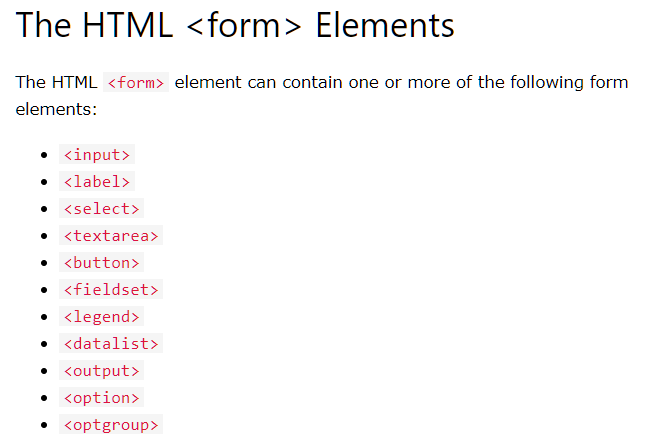
fieldset 表格相关信息组织起来legend 添加次fieldset 的标题
1 2 3 4 5 6 7 8 9 10 <form action ="/action_page.php" > <fieldset > <legend > Personalia:</legend > <label for ="fname" > First name:</label > <br > <input type ="text" id ="fname" name ="fname" value ="John" > <br > <label for ="lname" > Last name:</label > <br > <input type ="text" id ="lname" name ="lname" value ="Doe" > <br > <br > <input type ="submit" value ="Submit" > </fieldset > </form >
datalist 给input提供预定义的选项
1 2 3 4 5 6 7 8 9 10 <form action ="/action_page.php" > <input list ="browsers" > <datalist id ="browsers" > <option value ="Internet Explorer" > <option value ="Firefox" > <option value ="Chrome" > <option value ="Opera" > <option value ="Safari" > </datalist > </form >
output 表示运算结果的元素
1 2 3 4 5 6 7 8 9 10 11 <form action ="/action_page.php" oninput ="x.value=parseInt(a.value)+parseInt(b.value)" > 0 <input type ="range" id ="a" name ="a" value ="50" > 100 + <input type ="number" id ="b" name ="b" value ="50" > = <output name ="x" for ="a b" > </output > <br > <br > <input type ="submit" > </form >
html Plug-ins
object 标签内嵌其他文档或html元素
1 <object width ="100%" height ="500px" data ="snippet.html" > </object >
embed 单标签, 只有h5支持, 工能和object差不多
1 <embed width ="100%" height ="500px" src ="snippet.html" >
参考